
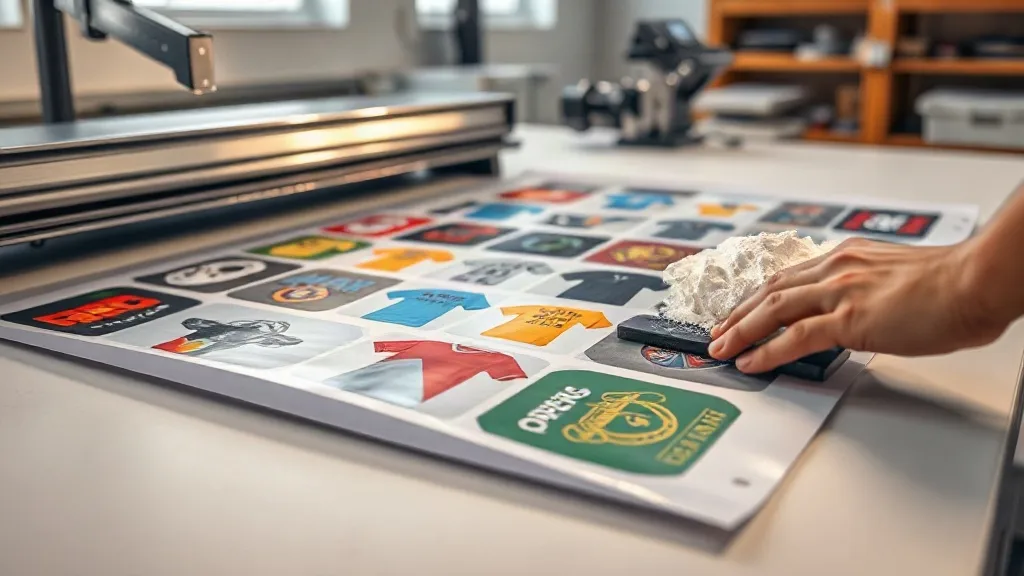
If you run a small print shop or create custom apparel, you already know that transfer costs can eat into your profits. Ordering individual DTF transfers for each design gets expensive fast, especially when you're printing small batches or one-offs. That's where DTF gangsheets come in. By arranging multiple designs on a single sheet, you can dramatically reduce your cost per print and streamline your workflow. In this guide, we'll show you how DTF gangsheets work, why they're a smart choice for custom apparel, and how to get the most out of them. Whether you're new to DTF printing or looking to optimize your process, this approach can save you time and money.
What Are DTF Gangsheets?
A DTF gangsheet is a single sheet of DTF transfer film that contains multiple designs printed together. Instead of ordering each design separately, you gang them up on one sheet, hence the name. This method is popular in the custom apparel industry because it maximizes the use of film and ink, lowering the cost per transfer. DTF (Direct to Film) printing involves printing your design onto a special film, applying adhesive powder, and then heat pressing it onto fabric. Gangsheets take this process and make it more efficient by combining several designs into one print job.
Why Use DTF Gangsheets for Custom Apparel?
Custom apparel printing often involves small runs: a few shirts for a team, a handful of totes for an event, or a mix of sizes and designs for a single customer. Ordering individual transfers for each item can be costly and time-consuming. Gangsheets solve this by letting you print multiple designs on one sheet, reducing waste and per-unit cost. Plus, you can mix and match designs, sizes, and even different fabrics in one order. This flexibility is a game-changer for small businesses that need to stay competitive.
Cost Savings
The most obvious benefit is cost. When you gang designs, you pay for one sheet instead of many. The savings come from reduced film usage, less ink, and lower labor costs. For example, if you have ten different shirt designs, printing them individually might require ten separate transfers. With a gangsheet, you can fit all ten on one sheet, cutting your transfer cost by up to 70%. These savings can be passed on to your customers or reinvested in your business.
Time Efficiency
Time is money, especially in a print shop. Gangsheets streamline your workflow by consolidating multiple designs into one print job. You spend less time loading film, mixing inks, and cutting transfers. Instead of managing multiple orders, you handle one. This efficiency frees you up to take on more jobs or focus on other aspects of your business.
Versatility
Gangsheets aren't just for t-shirts. You can use them for hoodies, bags, hats, and more. You can also combine different sizes and colors on one sheet, making it easy to fulfill complex orders. For instance, a sports team might need jerseys in various sizes with names and numbers. A gangsheet lets you print all the variations at once, ensuring consistency and reducing errors.
How to Create a DTF Gangsheet
Creating a gangsheet is straightforward if you follow the right steps. Here's a quick guide:
- Prepare your designs: Make sure each design is high-resolution and properly sized. Remember that DTF prints are typically sized to fit within the film width, so plan accordingly.
- Arrange designs on a template: Use design software or a gangsheet builder tool to arrange your designs on a sheet. Leave a small gap between designs to allow for cutting. Most film comes in widths of 13, 17, or 22 inches, so optimize your layout to minimize wasted space.
- Print and powder: Print the gangsheet on DTF film using your printer, then apply adhesive powder while the ink is still wet. Shake off excess powder and cure the sheet under heat.
- Press and peel: Once cured, you can cut out individual designs and heat press them onto garments. The transfers can be stored for later use.
If you don't want to print in-house, many DTF transfer services offer gangsheet printing. You simply upload your designs, and they ship you the finished sheet.
Tips for Optimizing Your Gangsheet
To get the most out of your gangsheet, keep these tips in mind:
- Maximize space: Rotate and nest designs to fill gaps. Avoid large empty areas.
- Group by color: If your printer requires separate passes for white ink, grouping designs with similar color profiles can save time.
- Consider the cut lines: Leave enough space between designs for easy cutting. A 0.25-inch gap is usually sufficient.
- Test your layout: Before printing a full sheet, do a test print on plain paper to check sizing and placement.
- Use quality film: Cheaper films may cause adhesion issues or dull colors. Invest in reputable DTF film for consistent results.
Common Mistakes to Avoid
Even experienced printers make mistakes with gangsheets. Here are a few to watch out for:
- Overcrowding: Cramming too many designs can lead to cutting errors and wasted film. Leave a margin around each design.
- Inconsistent sizing: Double-check that each design is the correct size for its intended garment. A small error can ruin a whole sheet.
- Ignoring film width: Make sure your layout fits within the printable area of your film. Otherwise, designs may be cut off.
- Not accounting for shrinkage: Some fabrics shrink after washing, so consider printing designs slightly larger if needed.
DTF Gangsheets vs. Other Printing Methods
How do gangsheets stack up against other decoration methods? Here's a quick comparison:
- Screen printing: Great for large orders but setup costs are high. Gangsheets are more cost-effective for small runs.
- Vinyl: Good for simple designs but limited in color and detail. DTF gangsheets handle complex, multi-color designs with ease.
- Dye sublimation: Only works on polyester and light colors. DTF gangsheets work on cotton, blends, and dark fabrics.
For small to medium orders with varied designs, gangsheets offer the best balance of cost, quality, and flexibility.
Getting Started with DTF Gangsheets
Ready to try gangsheets? Start by assessing your order volume. If you frequently print multiple designs, investing in a DTF printer and gangsheet software can pay off quickly. Alternatively, use a service like DTF Gangsheet Builder to handle the printing for you. Many services offer competitive pricing and fast turnaround, making it easy to test the waters without upfront equipment costs.
When choosing a service, look for clear pricing, good reviews, and support for common file formats. Also, check the film width options to ensure they match your typical design sizes.
Frequently Asked Questions
What is a DTF gangsheet and how does it work?
A DTF gangsheet is a single sheet of transfer film with multiple designs printed on it. It works by arranging several designs on one sheet, which is then printed, powdered, and cured. You cut out individual designs and heat press them onto garments. This method reduces cost and waste compared to printing each design separately.
Can I mix different fabric types on one gangsheet?
Yes, you can mix designs intended for different fabrics on one gangsheet. However, keep in mind that heat press settings may vary by fabric, so you'll need to adjust temperature and pressure accordingly when applying each transfer.
How much can I save by using DTF gangsheets?
Savings vary based on your layout and order size, but many shops report saving 50-70% on transfer costs compared to ordering individual transfers. The more efficiently you arrange designs, the more you save.
Do I need special software to create a gangsheet?
You can use graphic design software like Adobe Illustrator or dedicated gangsheet builder tools. Some online services also provide free templates to help you arrange your designs.
What file format should I use for my gangsheet designs?
Most services accept PNG, PDF, or AI files with transparent backgrounds. Ensure your designs are high resolution (300 DPI) for best results.
DTF gangsheets are a smart, efficient way to handle custom apparel printing. By consolidating designs, you save money, reduce waste, and speed up production. Whether you're a small shop or a solo entrepreneur, this approach can help you stay competitive. Give it a try and see the difference it makes in your workflow.