
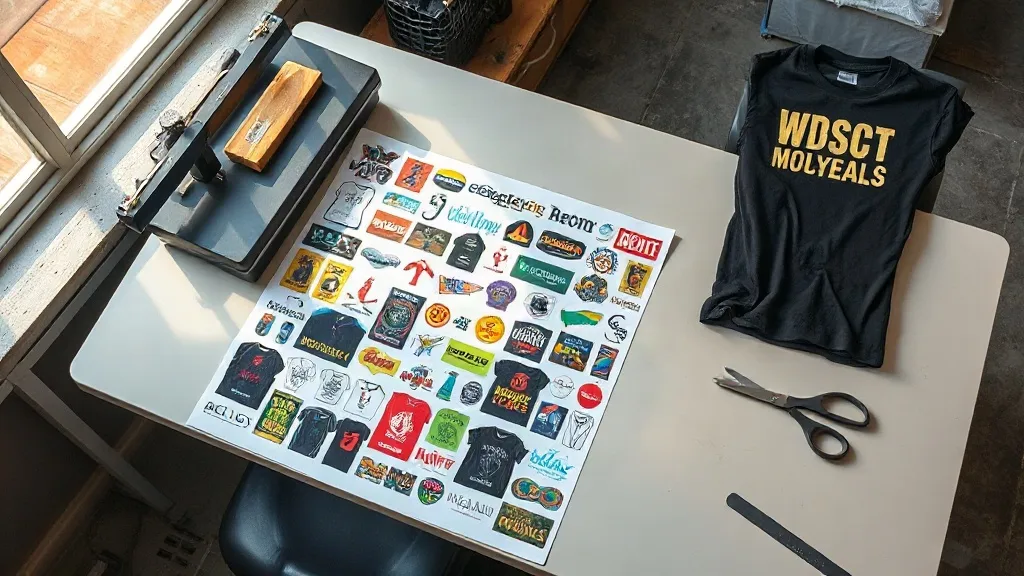
Picture a small apparel brand preparing for a weekend market. It has twelve new designs, four shirt colors and a budget that does not stretch to twelve separate transfer orders. Instead of choosing between designs, the owner opens a layout tool, arranges every artwork onto one long digital canvas, and sends a single file to print. That file is a DTF Gangsheet, and it has quietly become one of the most practical workflows in the custom apparel world.
If you run a print shop, sell handmade goods or simply produce shirts in small batches, understanding how gang sheets work changes the way you price jobs and plan production. This guide walks through what the format actually is, how to lay one out without wasting space, where people go wrong, and how to judge whether it fits your operation.
What a DTF Gangsheet Actually Is
Direct-to-film printing works by printing a design onto a special film, applying a powder adhesive while the ink is still wet, and then curing the sheet. The finished film is pressed onto fabric with a heat press, and the adhesive bonds the ink to the garment. A single transfer is one design on one piece of film. A gang sheet is the same process applied to a much larger canvas that holds many designs at once.
The word gang comes from traditional printing, where several jobs were ganged together on one plate to share setup costs. DTF adopted the term because the economics are identical. You pay for the film and the printing time, so filling the available width with useful artwork lowers the cost per design. A shop that orders a 22 by 60 inch sheet and fills it with twenty small logos pays far less per logo than someone ordering twenty individual transfers.
Why the Format Suits Small Batches
Screen printing rewards volume. Setup costs make a five-shirt run expensive, and the price per unit only becomes attractive in the hundreds. DTF inverts that logic. There is no screen to burn and no color separation to manage, so a run of three shirts costs roughly the same per unit as a run of thirty. The gang sheet amplifies this advantage because it lets you mix designs on one print job rather than committing to a single image.
That flexibility matters for anyone selling in person. Market vendors, Etsy sellers and boutique owners rarely know in advance which design will sell. Printing a gang sheet with several options lets them test the waters without overcommitting to inventory.
How to Build a Layout That Does Not Waste Film
The difference between a profitable gang sheet and an expensive one usually comes down to layout discipline. Film is priced by area, so empty space is money spent on nothing. A few habits keep the sheet tight.
- Measure every design at final print size, not at the size it appears on screen. A logo that looks small in a design program can measure four inches wide once scaled for a shirt back.
- Leave a consistent gap between designs, typically a quarter inch or slightly more, so the cutting step is clean and the edges do not bleed into each other.
- Rotate artwork where the shape allows. Long, narrow designs often fit better turned sideways along the sheet edge.
- Group designs by garment color. Transfers destined for dark shirts often need a white ink base, and keeping them together simplifies the print setup.
- Fill awkward gaps with small items such as sleeve logos, pocket prints or tag replacements rather than leaving them empty.
Most transfer suppliers provide a template with the printable area marked. Build your layout inside that boundary and double check the file resolution before uploading. A 300 DPI file at final size is the standard expectation, and upscaling a low resolution image rarely produces crisp edges on fabric.
Nesting and Why It Matters
Nesting is the practice of fitting irregular shapes together so they share space efficiently. A row of circular logos leaves curved gaps between them, and small square or rectangular designs can slot into those gaps. Design software with a nesting feature automates this, but manual arrangement often works just as well for a modest sheet. Spend five minutes sliding elements around before you finalize the file. On a long sheet, recovering even ten percent of the area can mean room for two or three extra designs.
Common Mistakes That Cost Money
The most frequent error is submitting artwork with a background. DTF prints what it receives, so a white rectangle behind a logo becomes a white rectangle on the shirt. Files should have a transparent background, and any white elements that need to remain white should be handled through the white ink layer settings rather than painted into the image.
Another recurring problem is thin, delicate detail. Very fine lines, tiny text and hairline strokes can break up during pressing, especially on stretchy fabrics. If a design includes small lettering, test one transfer before committing a full sheet. It is far cheaper to adjust a font size than to discard a long print run.
Color expectations also trip people up. What appears on a backlit monitor will not match a pigment printed on film and pressed onto cotton. Deep blacks may read slightly softer, and very bright neons can shift. Request a sample or press a single test piece when color accuracy is critical, such as for brand-matched uniforms.
Pressing a Gang Sheet Transfer Correctly
Once the sheet arrives, the work shifts to the heat press. Cut individual designs apart with a little margin, then trim closer if the edges need to be invisible on the garment. Preheat the fabric briefly to remove moisture, position the transfer with the adhesive side down, and press according to the supplier's temperature and time guidance. Peel the film according to the specified method, either hot or cold, and then cover the design with a protective sheet for a short second press to set the adhesive fully.
Fabric type changes the equation. Cotton tolerates higher heat, while polyester blends and synthetics need lower temperatures to avoid scorching or dye migration. On dark polyester, a low bleed film or a slightly longer pre-press helps prevent the garment dye from bleeding into the white ink layer over time.
When a Gang Sheet Beats Single Transfers
Ordering a DTF Gangsheet makes sense whenever you have several designs to produce and want to control cost per unit. It is the natural choice for a product launch with multiple colorways, a market stall with rotating inventory, or a team order where names and numbers vary but the base design repeats. It also suits print shops that want to stock a small library of ready-to-press designs without dedicating shelf space to dozens of separate film rolls.
Single transfers still win in some situations. If you need one large back print at maximum size, a dedicated transfer avoids the puzzle of fitting it alongside other artwork. The same is true for a one-off gift or a sample you need tomorrow. The decision is really about volume and variety: one design in quantity favors a single file, many designs in small quantities favors a gang sheet.
Frequently Asked Questions
How many designs can fit on one DTF gang sheet?
There is no fixed number because it depends entirely on design size and sheet dimensions. A sheet filled with small chest logos might hold thirty or more, while large back prints could limit you to four or five. Calculate total design area against printable area, then subtract space for gaps, to get a realistic estimate before you build the file.
Can I mix different garment colors on the same sheet?
Yes. The transfers themselves are identical regardless of the shirt they will eventually go on, so mixing designs intended for light and dark garments is fine. The only consideration is ink layering. Designs that rely on a white base for opacity on dark fabric should be grouped so the print settings stay consistent across the sheet.
How long can printed DTF transfers be stored?
Stored flat in a cool, dry place away from direct sunlight, most transfers remain usable for several months. Humidity is the main enemy, since moisture affects the adhesive powder. Keep sheets sealed when not in use and avoid stacking heavy items on top, which can crease the film and show up as marks after pressing.
Do I need special software to arrange a gang sheet?
No specialized software is required. Any design program that supports a large canvas and transparent backgrounds will work, and many suppliers offer an online builder with the printable area pre-set. What matters more than the tool is accuracy: correct dimensions, consistent spacing and proper resolution at final print size.
Is DTF suitable for fabrics other than cotton?
It performs well on cotton, polyester, blends and many synthetics, which is one of its main advantages over vinyl or screen printing. Results vary by fabric weight and texture, so test on a scrap of the actual garment when possible. Very stretchy or heavily textured materials may need adjusted press settings for the best adhesion.